Importante
Your address details may be required for verification purposes between Visa and certain merchants. Providing incorrect information can result in declined transactions and, in some cases, may prevent your card from being added to Apple Pay or Google Pay wallets. You have 6 months from issuance date to access the funds on the card before the card expires, after which, you will no longer have access to the funds.
Saiba maisMétodos de resgate
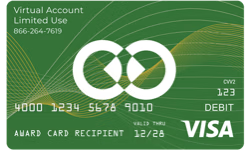
Vale-presente MyGlobePay Visa USD
Vale-presente digital, com entrega por e-mail. País de uso: United States.
🇺🇸 Este produto pode funcionar apenas neste país: United States. As vendas são finais.
Ou escolha um
Isto é um voucher. Enviaremos por e-mail instruções para resgatar seu item.
Detalhes
MyGlobePay card can be used anywhere Visa debit cards are accepted. No cash or ATM access. Please note: all funds are loaded in USD and the card is non-reloadable.
Métodos de resgate
Instruções de resgate
Once you activate your virtual prepaid card, it is ready for use. You have 6 months from issuance date to access the funds on the card before the card expires, after which, you will no longer have access to the funds. Purchases must be within the available balance on the card or with a merchant that allows multiple forms of payment for the same transaction. Accepting multiple forms of payment is up to the merchant’s discretion, not the issuer of the prepaid card. The card cannot be used for recurring purchases or payments, the balance on the card cannot be transferred to another account such as PayPal/eBay/Cash App. To manually add a bank card to Apple Wallet on an iPhone, you can do the following: 1. Open the Wallet app 2. Tap Add Card 3. Tap Debit or Credit Card 4. Tap Continue 5. Tap Enter Card Details Manually 6. Enter the card’s name, card number, expiration date, and CVV 7. Follow the onscreen instructions To manually add a bank card to Google Wallet, you can do the following: 1. Open the Google Wallet app 2. Tap Add to Wallet at the bottom 3. Tap Payment card 4. Tap New credit or debit card 5. Tap Enter details manually 6. Enter the card information 7. Tap Save and continue at the bottom 8. Read the Issuer Terms and tap Accept 9. If prompted, verify your payment method
Termos e condições
Please note that during card registration process your address details may be required for verification purposes between Visa and certain merchants. Providing incorrect information can result in declined transactions and, in some cases, may prevent your card from being added to Apple Pay or Google Pay wallets. When using a card in mobile wallets, please be aware that in certain countries, some merchant POS systems may default to checking cards with PIN codes and might not route transactions through the Visa network. This could result in declined transactions. Additionally, some online retailers in specific regions may not accept prepaid cards due to their advanced security protocols. Prepaid Visa card is denominated in USD. When making purchases in a currency other than USD, exchange rates may vary depending on the currency used. The applicable exchange rate will be determined by Visa at the time of transaction and may differ from standard market rates. For the most accurate and up-to-date information on Visa’s exchange rates, please visit Visa’s official exchange rate calculator: https://usa.visa.com/support/consumer/travel-support/exchange-rate-calculator.html For transactions in currencies other than USD, a minimum balance is required to ensure sufficient funds for currency exchange. The minimum transaction amount for this card is $1 USD. Please note that this prepaid Visa card is denominated in USD. When making purchases in a currency other than USD, exchange rates may vary depending on the currency used. The applicable exchange rate will be determined by Visa at the time of transaction and may differ from standard market rates. For the most accurate and up-to-date information on Visa’s exchange rates, please visit Visa’s official exchange rate calculator:https://usa.visa.com/support/consumer/travel-support/exchange-rate-calculator.html Please use a standard web browser without enabling anonymous browsing modes, ad blockers, or VPN (Virtual Private Network) services. These settings are essential as they allow the issuer’s bank security system to perform initial checks to ensure a secure transaction. Additionally, the use of bots or automated tools for simultaneous redemptions is strictly prohibited. You can add up to 16 cards to a single Apple Wallet, provided your device supports Apple Pay. For further details, please visit: https://support.apple.com/en-us/108398. When adding a card to your Apple Wallet, ensure you are in a location where Apple Pay is supported. For a list of eligible locations, visit: https://www.apple.com/ios/feature-availability/#apple-wallet-apple-pay. Affected countries: Afghanistan, Belarus, Bosnia and Herzegovina, Burkina Faso, Burma (Myanmar), Cameroon, Cuba, Democratic Republic of the Congo, Iran, Iraq, Lebanon, Libya, Mali, Mozambique, Nicaragua, Nigeria, North Korea, Panama, Russia, Somalia, South Sudan, Sudan, Syria, Ukraine, Venezuela, Yemen. MyGlobePay Card is issued by Sunrise Banks N. A., Member FDIC, St. Paul, MN 55103, pursuant to a license from Visa U. S. A. Inc. Use of this card constitutes acceptance of the terms and conditions stated in the Cardholder Agreement. Read more about the privacy policy: https://www.sunrise.bank/privacy-policy#:~:text=How%20does%20Sunrise%20Bank%20protect,and%20secured%20files%20and%20buildings.
Sobre o vale-presente MyGlobePay Visa USD
- Tipo
- Vale-presente digital
- Valores
- Qualquer valor de US$ 5 a US$ 1.000
- Moeda
- Dólar americano (USD)
- Entrega
- Por e-mail
- Métodos de resgate
- InstoreOnline
- Onde funciona
- United States












Como funciona
Compre um vale-presente em três passos
1. Escolha um vale-presente
Escolha a marca e o valor que você quer.
2. Pague no checkout
Revise seu pedido e conclua o pagamento.
3. Receba por e-mail
Seu vale-presente é enviado por e-mail assim que o pagamento é confirmado. Resgate-o diretamente com a marca.
Perguntas frequentes
Mais respostas na nossa Central de Ajuda.
Como o vale-presente MyGlobePay Visa USD é entregue?
Por e-mail. Assim que o pedido é concluído, enviamos as instruções de resgate por e-mail.
Onde posso usar o vale-presente MyGlobePay Visa USD?
Pode funcionar apenas em United States. Métodos de resgate: Instore, Online.
Como resgato o vale-presente MyGlobePay Visa USD?
As instruções de resgate estão na seção de detalhes desta página.
Quais valores estão disponíveis?
Você pode escolher qualquer valor de US$ 5 a US$ 1.000.
Posso pedir reembolso depois de comprar o vale-presente MyGlobePay Visa USD?
As vendas são finais, então confira o produto, o valor e o país antes de comprar. Se houver algum problema com seu pedido, nossa Central de Ajuda pode ajudar.
Tenho uma pergunta que não foi respondida aqui. Como posso obter ajuda?
Acesse nossa Central de Ajuda e teremos prazer em ajudar.
