Ważne
These codes are not redeemable at Apple retail stores for iPhones, iPads or other physical goods.
Czytaj więcejSposoby realizacji
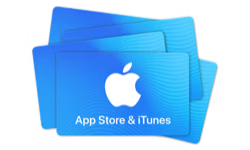
Karta podarunkowa Apple Itunes AE
Cyfrowa karta podarunkowa, dostawa e-mailem. Do wykorzystania w kraju United Arab Emirates.
🇦🇪 Ten produkt może działać tylko w kraju United Arab Emirates. Sprzedaż jest ostateczna.
Lub wybierz
To jest voucher. Wyślemy Ci e-mail z instrukcjami, jak odebrać produkt.
Szczegóły
Give the gift of one-stop entertainment. Each card includes a code redeemable for music, movies, TV shows, games, apps, and more on the iTunes Store, the iBooks Store, the App Store, and the Mac App Store. Recipients can access their content on an iPod, iPad, or iPhone, and watch or listen on a computer , Mac or PC.
Sposoby realizacji
Instrukcje realizacji
Open iTunes Store & Scroll to bottom and click or tap Redeem. Enter the eGift Card voucher code. Download iTunes and follow the below steps: To redeem on your Mac or PC: 1- Choose card category then click "Buy Now". 2- Keep your Product/Card details. 3- Open iTunes and click "iTunes Store". 4- Click "Redeem". 5- Enter Product/Card details. 6- Enjoy your content. To redeem on your iPhone or iPod touch: 1- Choose card category then click "Buy Now". 2- Keep your Product/Card details. 3- Click "iTunes". 4- Click on "Music" then scroll to the bottom. 5- Click "Redeem". 6- Enter Product/Card details. 7- Enjoy your content.
Regulamin
An App Store and iTunes Gift Code (“Store Credit”) is automatically added to your store credit account (“Account”) balance when purchased directly from the iTunes Store, App Store, iBooks Store, or Apple Music (“Services”) through the “Add Funds” feature. Store Credit is issued and managed by Apple Distribution International (“Apple”). Your Account balance represents the balance of all Store Credit that has been redeemed into your Account. When you have a Store Credit balance in your Account, purchases from the Services will first be deducted from your Account. Any unused balance will remain associated with your Account. If a purchase exceeds your Account balance, you will be asked to pay with another payment method. If your new payment method cannot cover the remaining amount, the transaction will be canceled. APPLE ID: Use of Store Credit purchased in the United Arab Emirates requires an Apple ID and acceptance of the Services terms and conditions. An Apple ID is the account you use to access the Services. Use of Account Balance: Store Credit can be loaded into your account by adding funds to your Account balance through the Services. Full terms can be found by visiting https://www.apple.com/legal/internet-services/itunes/giftcards/ae/terms-en.html
O karcie podarunkowej Apple Itunes AE
- Rodzaj
- Cyfrowa karta podarunkowa
- Kwoty
- Dowolna kwota od 50 AED do 2500 AED
- Waluta
- dirham ZEA (AED)
- Dostawa
- E-mailem
- Sposoby realizacji
- Mobile AppOnline
- Gdzie działa
- United Arab Emirates
- Kategorie
- Entertainment, Gaming
- Strona internetowa
- apple.com/ae/itunes










Jak to działa
Kup kartę podarunkową w trzech krokach
1. Wybierz kartę podarunkową
Wybierz markę i kwotę.
2. Zapłać przy kasie
Sprawdź zamówienie i dokończ płatność.
3. Odbierz e-mailem
Kartę podarunkową wyślemy e-mailem po potwierdzeniu płatności. Zrealizujesz ją u wybranej marki.
Najczęściej zadawane pytania
Więcej odpowiedzi znajdziesz w naszym Centrum pomocy.
Jak otrzymam kartę podarunkową Apple Itunes AE?
E-mailem. Po zrealizowaniu zamówienia wyślemy Ci e-mail z instrukcjami odbioru.
Gdzie mogę wykorzystać kartę podarunkową Apple Itunes AE?
Produkt może działać tylko w kraju United Arab Emirates. Sposoby realizacji: Mobile App, Online.
Jak zrealizować kartę podarunkową Apple Itunes AE?
Instrukcje realizacji znajdziesz w sekcji ze szczegółami na tej stronie.
Jakie kwoty są dostępne?
Możesz wybrać dowolną kwotę od 50 AED do 2500 AED.
Czy mogę otrzymać zwrot za kartę podarunkową Apple Itunes AE?
Sprzedaż jest ostateczna, dlatego przed zakupem sprawdź produkt, kwotę i kraj. W razie problemu z zamówieniem pomoże Ci nasze Centrum pomocy.
Mam pytanie, na które nie ma tu odpowiedzi. Jak uzyskać pomoc?
Odwiedź nasze Centrum pomocy – chętnie pomożemy.
