Important
These codes are not redeemable at Apple retail stores for iPhones, iPads or other physical goods.
En savoir plusModes d'utilisation
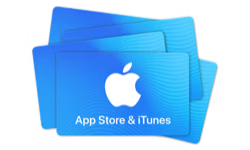
Carte-cadeau Apple Itunes AE
Carte-cadeau numérique, livraison par courriel. Pays d'utilisation : United Arab Emirates.
🇦🇪 Ce produit peut ne fonctionner que dans ce pays : United Arab Emirates. Les ventes sont finales.
Il s'agit d'un bon. Nous vous enverrons par courriel les instructions pour réclamer votre article.
Détails
Give the gift of one-stop entertainment. Each card includes a code redeemable for music, movies, TV shows, games, apps, and more on the iTunes Store, the iBooks Store, the App Store, and the Mac App Store. Recipients can access their content on an iPod, iPad, or iPhone, and watch or listen on a computer , Mac or PC.
Modes d'utilisation
Instructions d'utilisation
Open iTunes Store & Scroll to bottom and click or tap Redeem. Enter the eGift Card voucher code. Download iTunes and follow the below steps: To redeem on your Mac or PC: 1- Choose card category then click "Buy Now". 2- Keep your Product/Card details. 3- Open iTunes and click "iTunes Store". 4- Click "Redeem". 5- Enter Product/Card details. 6- Enjoy your content. To redeem on your iPhone or iPod touch: 1- Choose card category then click "Buy Now". 2- Keep your Product/Card details. 3- Click "iTunes". 4- Click on "Music" then scroll to the bottom. 5- Click "Redeem". 6- Enter Product/Card details. 7- Enjoy your content.
Conditions générales
An App Store and iTunes Gift Code (“Store Credit”) is automatically added to your store credit account (“Account”) balance when purchased directly from the iTunes Store, App Store, iBooks Store, or Apple Music (“Services”) through the “Add Funds” feature. Store Credit is issued and managed by Apple Distribution International (“Apple”). Your Account balance represents the balance of all Store Credit that has been redeemed into your Account. When you have a Store Credit balance in your Account, purchases from the Services will first be deducted from your Account. Any unused balance will remain associated with your Account. If a purchase exceeds your Account balance, you will be asked to pay with another payment method. If your new payment method cannot cover the remaining amount, the transaction will be canceled. APPLE ID: Use of Store Credit purchased in the United Arab Emirates requires an Apple ID and acceptance of the Services terms and conditions. An Apple ID is the account you use to access the Services. Use of Account Balance: Store Credit can be loaded into your account by adding funds to your Account balance through the Services. Full terms can be found by visiting https://www.apple.com/legal/internet-services/itunes/giftcards/ae/terms-en.html
À propos de la carte-cadeau Apple Itunes AE
- Type
- Carte-cadeau numérique
- Montants
- 50 AED, 100 AED, 250 AED, 500 AED
- Devise
- dirham des Émirats arabes unis (AED)
- Livraison
- Par courriel
- Modes d'utilisation
- Mobile AppOnline
- Pays d'utilisation
- United Arab Emirates
- Catégories
- Entertainment, Gaming
- Site web
- apple.com/ae/itunes










Comment ça marche
Achetez une carte-cadeau en trois étapes
1. Choisissez une carte-cadeau
Choisissez une marque et le montant souhaité.
2. Payez à la caisse
Vérifiez votre commande et finalisez votre paiement.
3. Recevez-la par courriel
Votre carte-cadeau vous est envoyée par courriel une fois le paiement confirmé. Utilisez-la auprès de la marque.
Questions fréquentes
Plus de réponses dans notre Centre d'aide.
Comment vais-je recevoir la carte-cadeau Apple Itunes AE ?
Par courriel. Une fois votre commande terminée, nous vous envoyons par courriel les instructions pour récupérer votre achat.
Où puis-je utiliser la carte-cadeau Apple Itunes AE ?
Ce produit peut ne fonctionner que dans ce pays : United Arab Emirates. Modes d'utilisation : Mobile App, Online.
Comment utiliser la carte-cadeau Apple Itunes AE ?
Les instructions d'utilisation se trouvent dans la section Détails de cette page.
Quels montants sont disponibles ?
Montants disponibles : 50 AED, 100 AED, 250 AED, 500 AED.
Puis-je obtenir un remboursement pour la carte-cadeau Apple Itunes AE ?
Les ventes sont finales : vérifiez le produit, le montant et le pays avant d'acheter. En cas de problème avec votre commande, notre Centre d'aide peut vous aider.
J'ai une question sans réponse ici. Comment obtenir de l'aide ?
Visitez notre Centre d'aide et nous serons ravis de vous aider.
