Wichtig
These codes are not redeemable at Apple retail stores for iPhones, iPads or other physical goods.
Mehr lesenEinlösemethoden
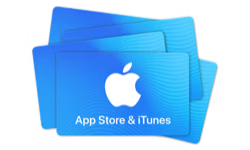
Apple SA-Geschenkkarte
Digitale Geschenkkarte, Lieferung per E-Mail. Gilt für Saudi Arabia.
🇸🇦 Dieses Produkt funktioniert möglicherweise nur in diesem Land: Saudi Arabia. Verkäufe sind endgültig.
Dies ist ein Gutschein. Wir senden Ihnen per E-Mail Anweisungen zur Einlösung.
Details
Give the gift of one-stop entertainment. Each card includes a code redeemable for music, movies, TV shows, games, apps, and more on the iTunes Store, the iBooks Store, the App Store, and the Mac App Store. Recipients can access their content on an iPod, iPad, or iPhone, and watch or listen on a computer , Mac or PC.
Einlösemethoden
Einlösehinweise
1. This eGift Card is redeemable for iTunes KSA Store only. 2. Redeem your iTunes Code for music, movies, TV shows, games, apps, books, and more on the iTunes Store, the App Store, the iBooks Store, or the Mac App Store. 3. Open iTunes Store. 4. Scroll to bottom and click or tap Redeem. 5. Enter the 16-digit code shown above. 6. No cashback, returns or refund accepted.
Bedingungen
An App Store and iTunes Gift Code (“Store Credit”) is automatically added to your store credit account (“Account”) balance when purchased directly from the iTunes Store, App Store, iBooks Store, or Apple Music (“Services”) through the “Add Funds” feature. Store Credit is issued and managed by Apple Distribution International (“Apple”). Your Account balance represents the balance of all Store Credit that has been redeemed into your Account. When you have a Store Credit balance in your Account, purchases from the Services will first be deducted from your Account. Any unused balance will remain associated with your Account. If a purchase exceeds your Account balance, you will be asked to pay with another payment method. If your new payment method cannot cover the remaining amount, the transaction will be canceled. APPLE ID: Use of Store Credit purchased in Saudi Arabia requires an Apple ID and acceptance of the Services terms and conditions. An Apple ID is the account you use to access the Services. Use of Account Balance: Store Credit can be loaded into your account by adding funds to your Account balance through the Services. Full terms can be found by visiting https://www.apple.com/legal/internet-services/itunes/giftcards/sa/terms-en.html
Über die Apple SA-Geschenkkarte
- Art
- Digitale Geschenkkarte
- Beträge
- 50 SAR, 100 SAR, 250 SAR, 500 SAR, 1.000 SAR, 2.500 SAR
- Währung
- Saudi-Rial (SAR)
- Lieferung
- Per E-Mail
- Einlösemethoden
- Mobile AppOnline
- Nutzbar in
- Saudi Arabia
- Kategorien
- Gaming, Entertainment
- Webseite
- apple.com/sa/itunes












So funktioniert’s
In drei Schritten zur Geschenkkarte
1. Geschenkkarte auswählen
Wählen Sie eine Marke und den gewünschten Betrag.
2. An der Kasse bezahlen
Prüfen Sie Ihre Bestellung und schließen Sie die Zahlung ab.
3. Per E-Mail erhalten
Sobald die Zahlung bestätigt ist, erhalten Sie Ihre Geschenkkarte per E-Mail. Einlösen können Sie sie bei der Marke.
Häufig gestellte Fragen
Weitere Antworten finden Sie in unserem Hilfe-Center.
Wie wird die Apple SA-Geschenkkarte geliefert?
Per E-Mail. Sobald Ihre Bestellung abgeschlossen ist, senden wir Ihnen per E-Mail Anweisungen zur Einlösung.
Wo kann ich die Apple SA-Geschenkkarte verwenden?
Die Nutzung ist möglicherweise auf Saudi Arabia beschränkt. Einlösemethoden: Mobile App, Online.
Wie löse ich die Apple SA-Geschenkkarte ein?
Die Einlösehinweise finden Sie im Details-Bereich dieser Seite.
Welche Beträge sind verfügbar?
Erhältlich in diesen Beträgen: 50 SAR, 100 SAR, 250 SAR, 500 SAR, 1.000 SAR, 2.500 SAR.
Bekomme ich für die Apple SA-Geschenkkarte eine Rückerstattung?
Verkäufe sind endgültig. Prüfen Sie daher vor dem Kauf Produkt, Betrag und Land. Bei Problemen mit Ihrer Bestellung hilft Ihnen unser Hilfe-Center weiter.
Ich habe eine Frage, die hier nicht beantwortet wird. Wie erhalte ich Hilfe?
Besuchen Sie unser Hilfe-Center – wir helfen Ihnen gerne weiter.
